tepuyen
Prospectaby tepuyen
For
Teams that sell to other businesses
Channels
Email and calls (soon)
Runs on
Web today; desktop and mobile, soon
Who decides
Always a person

AI does the heavy lifting. A person decides what goes out.

Prospecta gathers your contacts, writes your campaigns, reads the replies and books the meetings. Nothing reaches a customer until someone on your team has seen it.

This is what a day in Prospecta looks like.

01Approvals You open a draft, review it and approve it.

A real walkthrough of the app, with no cuts or editing: the morning queue, an email being approved, a classified reply, the pipeline, the campaigns and the contacts. The data is demo data and the app is in Spanish.

The whole sales cycle, in one place.

Prospecting by hand eats the day: finding contacts, writing to them one by one, following every reply and logging it all. Automating it carelessly ends in generic emails nobody wants to receive. Prospecta does the heavy lifting and leaves what matters in your hands.

Approvals

Nothing goes out until a person decides.

AI drafts each email in your tone and puts it in a queue. You read it, fix it if needed and decide whether it goes out.

  • Drafts in your tone and with your signature
  • Each contact’s context alongside
  • Unsubscribes, caps and hours are checked again before sending
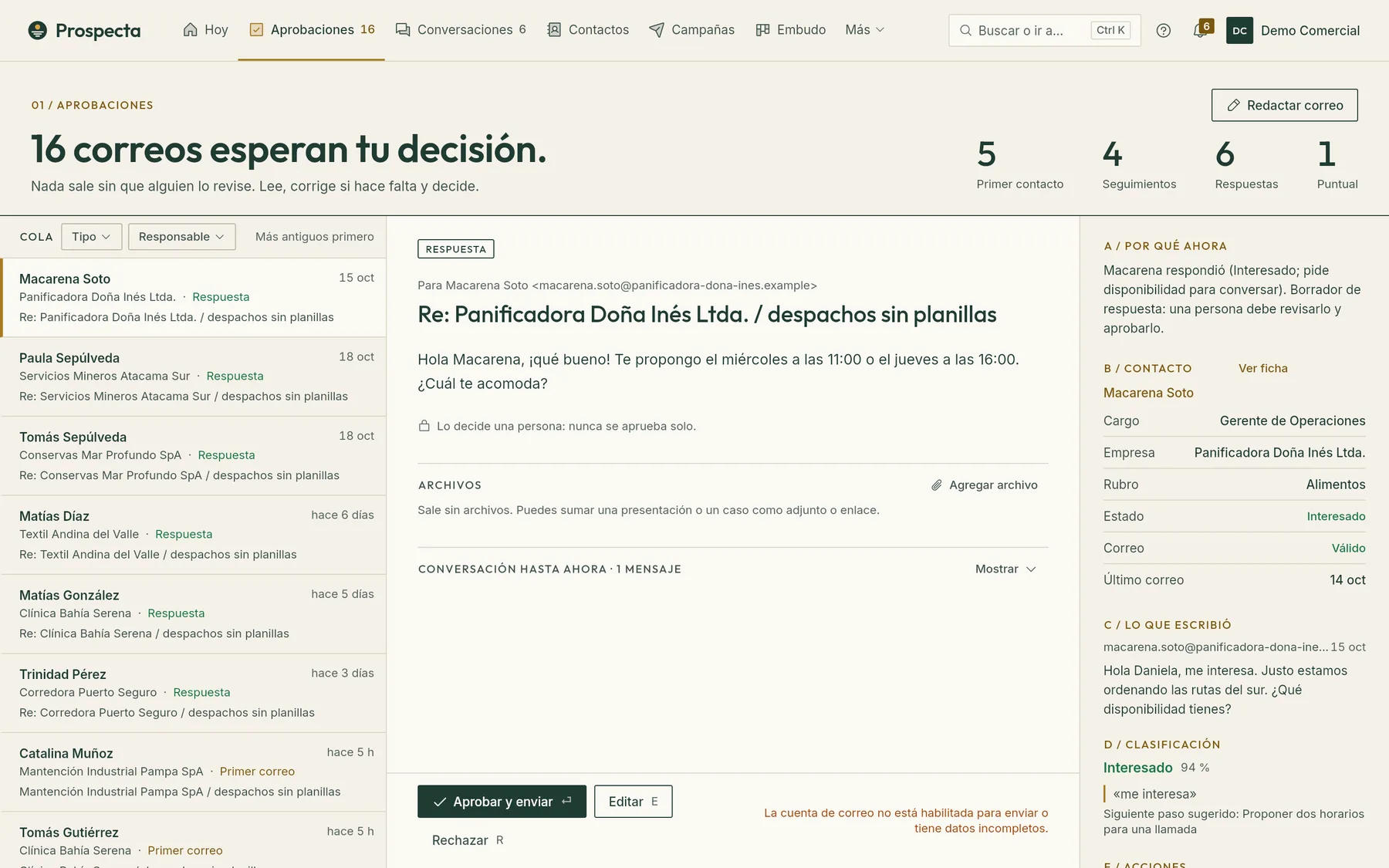
Prospecta’s Approvals screen: the queue of emails awaiting a decision, the open draft and the contact’s context
Conversations

Replies, read and classified.

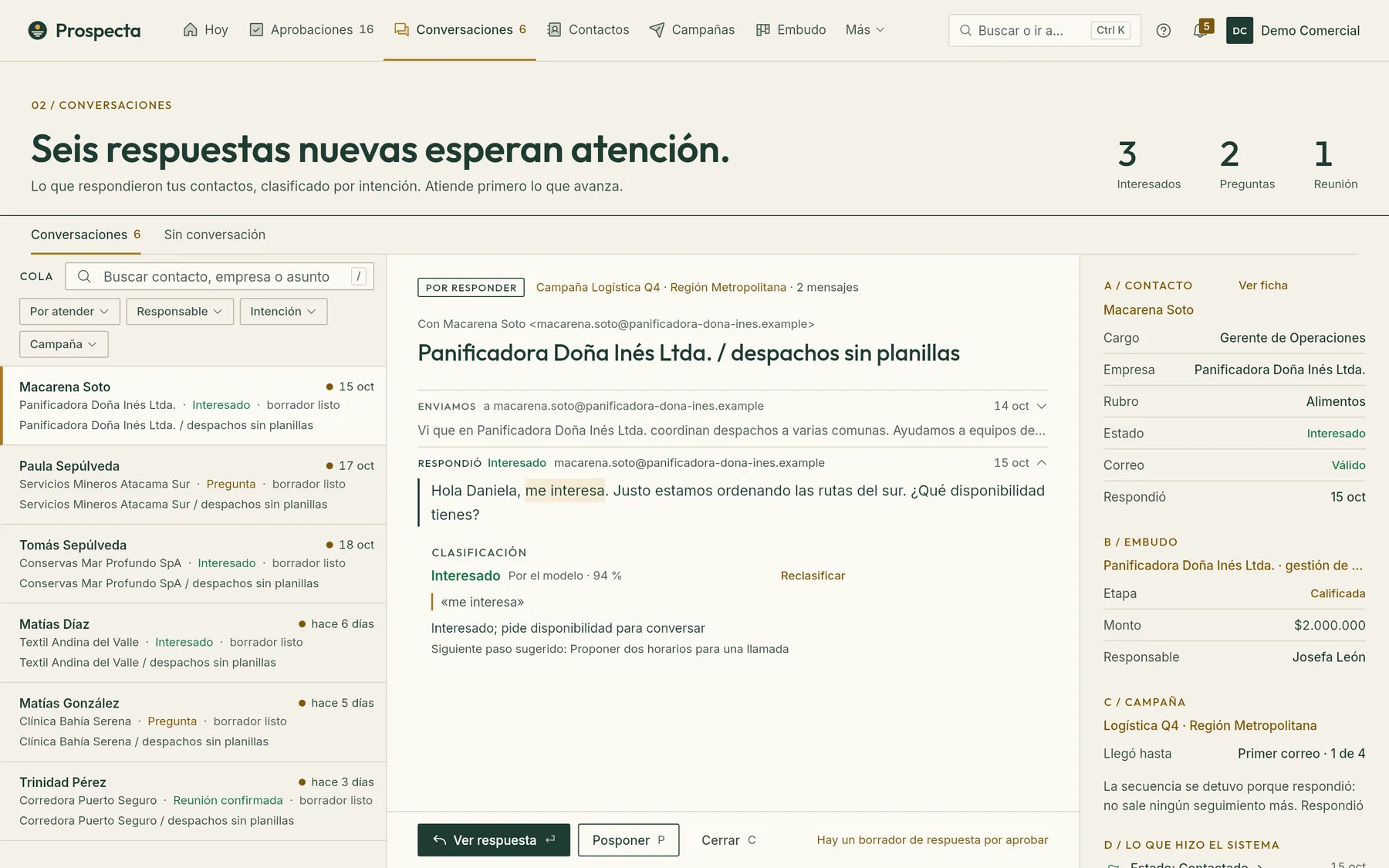
Each reply arrives with its intent and the customer’s sentence that supports it. What moves forward comes first; anything uncertain waits for a person.

  • Classification with a confidence level
  • A reply draft ready to review
  • The contact, the deal and the campaign side by side
Conversation in Prospecta: the contact’s reply, its classification as interested and the contact card
Pipeline

A pipeline that sorts itself.

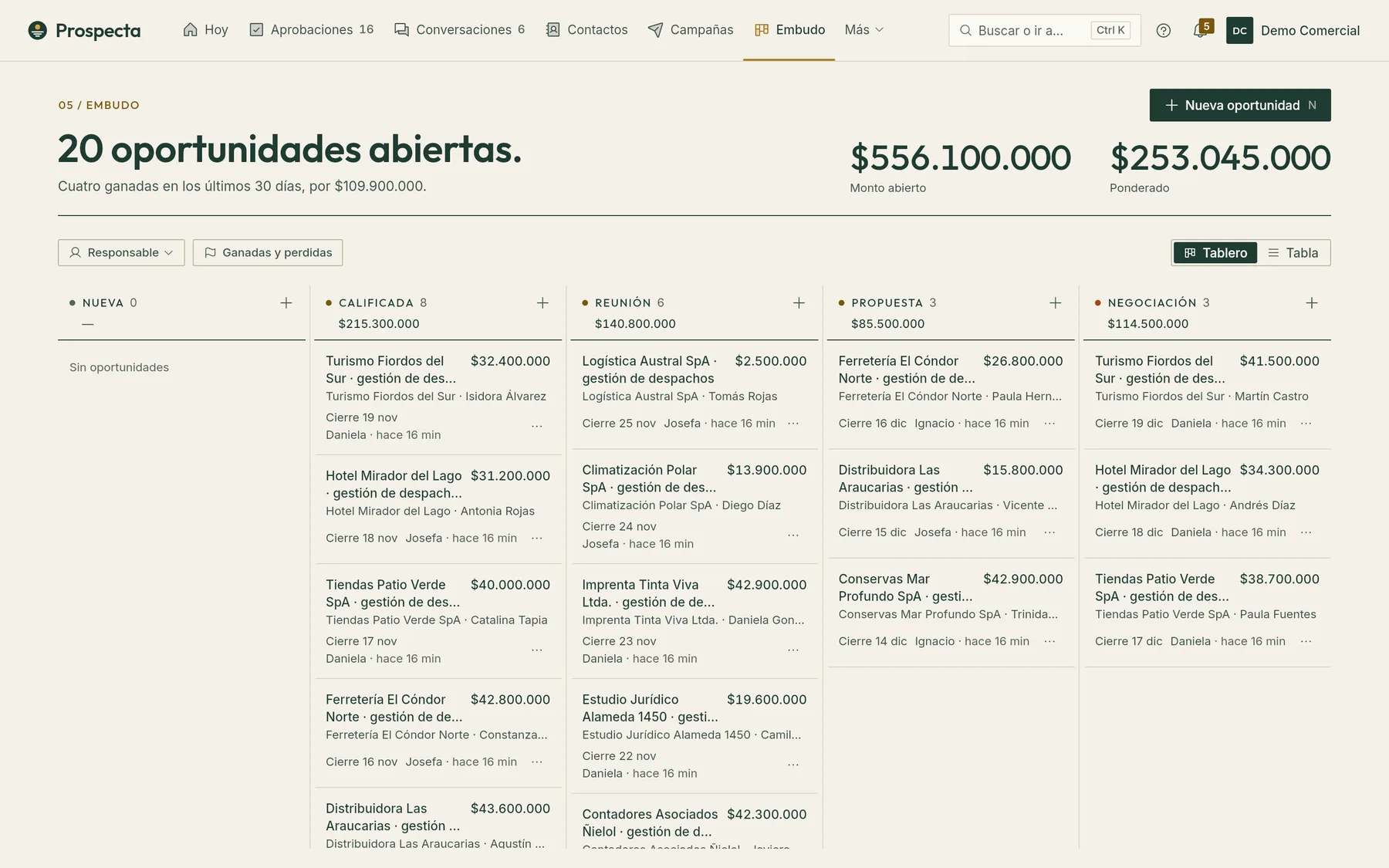
When someone agrees to meet, their deal moves to the next stage. Amounts, owners and close dates, on a board or in a table.

  • Stage board and table view
  • Open and weighted amounts
  • Tasks linked to each contact
Prospecta pipeline with deals in the new, qualified, meeting, proposal and negotiation stages
Autopilot

You choose how much it does alone.

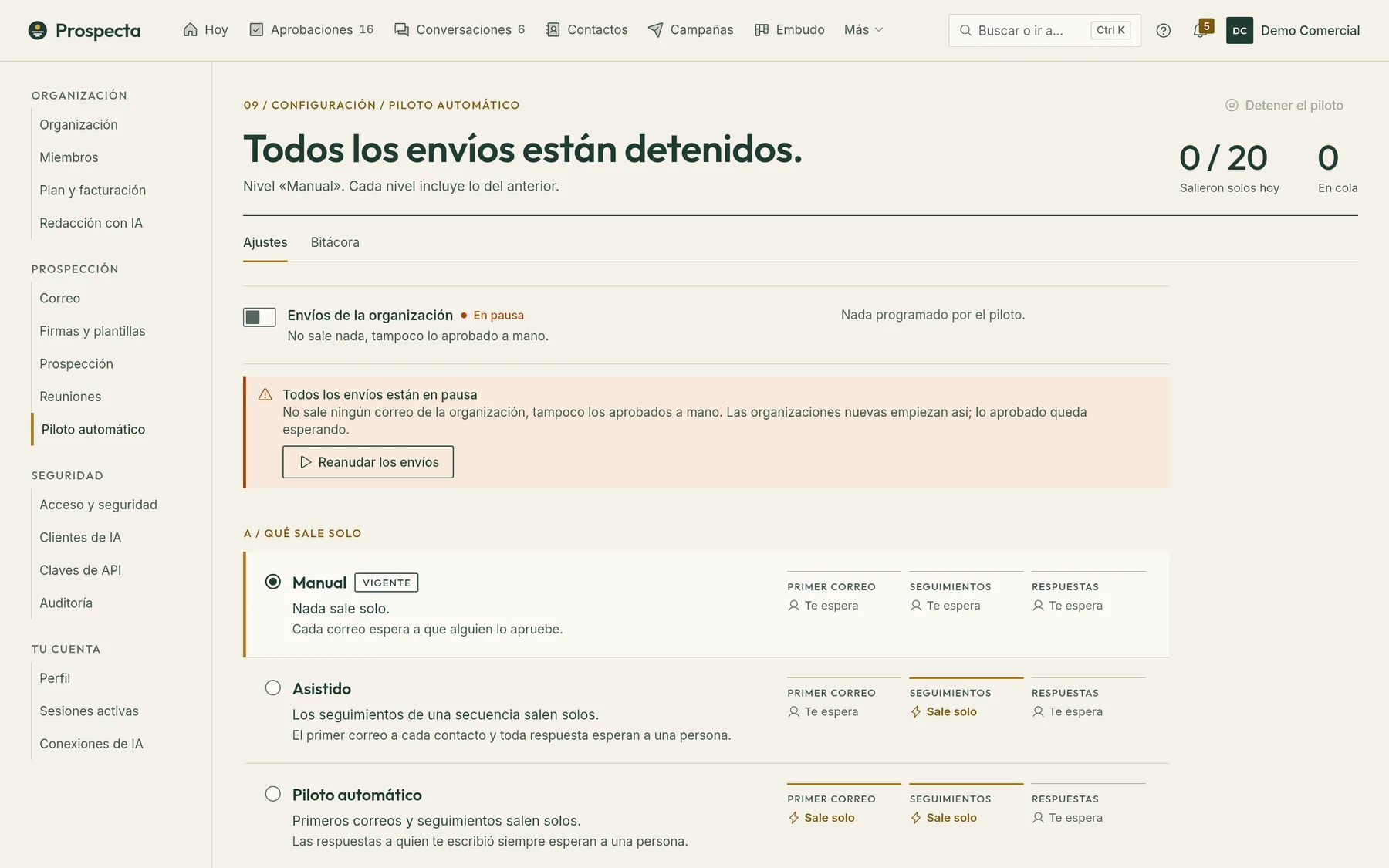
Start with everything under your approval and let go little by little. One click stops every send in the organization.

  • Manual: nothing goes out on its own
  • Assisted: follow-ups go out on their own
  • Autopilot: first emails and follow-ups; replies always wait for a person
Prospecta autopilot settings with the manual, assisted and autopilot levels

Real Prospecta screens with demo data. The app is in Spanish today.

And also

  • ContactsYour whole base, with its history.Import your contacts from a spreadsheet and follow each person: their status, who handles them and what you wrote to them.
  • CampaignsCampaigns that move at their own pace.A sequence defines the first email and its follow-ups; the campaign decides who gets written to and when. Prospecta respects daily caps, sending hours and non-working days.
  • AI clientsYour data, from your AI assistant.Your team can query Prospecta from Claude, ChatGPT, Codex, Cursor or any other client compatible with the Model Context Protocol (MCP). You decide whether they only read or can also edit.
  • AuditEvery change is logged.Every configuration change, every permission change and every send leaves a record that cannot be edited. Each person signs in with their role.

Your data, in order

  • Each organization sees only its own.The separation is enforced by the database, not just the screen.
  • Encrypted credentials.Your email and calendar keys are stored encrypted; they cannot be read, only replaced.
  • Tested backups.Every backup is encrypted and checked to make sure it can be restored.
  • Wherever you work.Web today; desktop and mobile, soon. With per-person permissions.
  • Everything is logged.Settings and permission changes, and what goes out to third parties, are kept in the log.

From first email to meeting, in one moon cycle.

A campaign usually lasts a few weeks. This is how each contact moves forward while the moon changes.

  1. New moon

    You import

    You upload your contacts. Unsubscribes are left out from the start.

  2. Crescent

    It drafts

    AI prepares the sequence in your tone and with your signature.

  3. First quarter

    You approve

    You review each first email before it goes out.

  4. Gibbous

    They reply

    Replies arrive read and classified.

  5. Full moon

    You meet

    The meeting lands on your calendar.

On your phone, too.

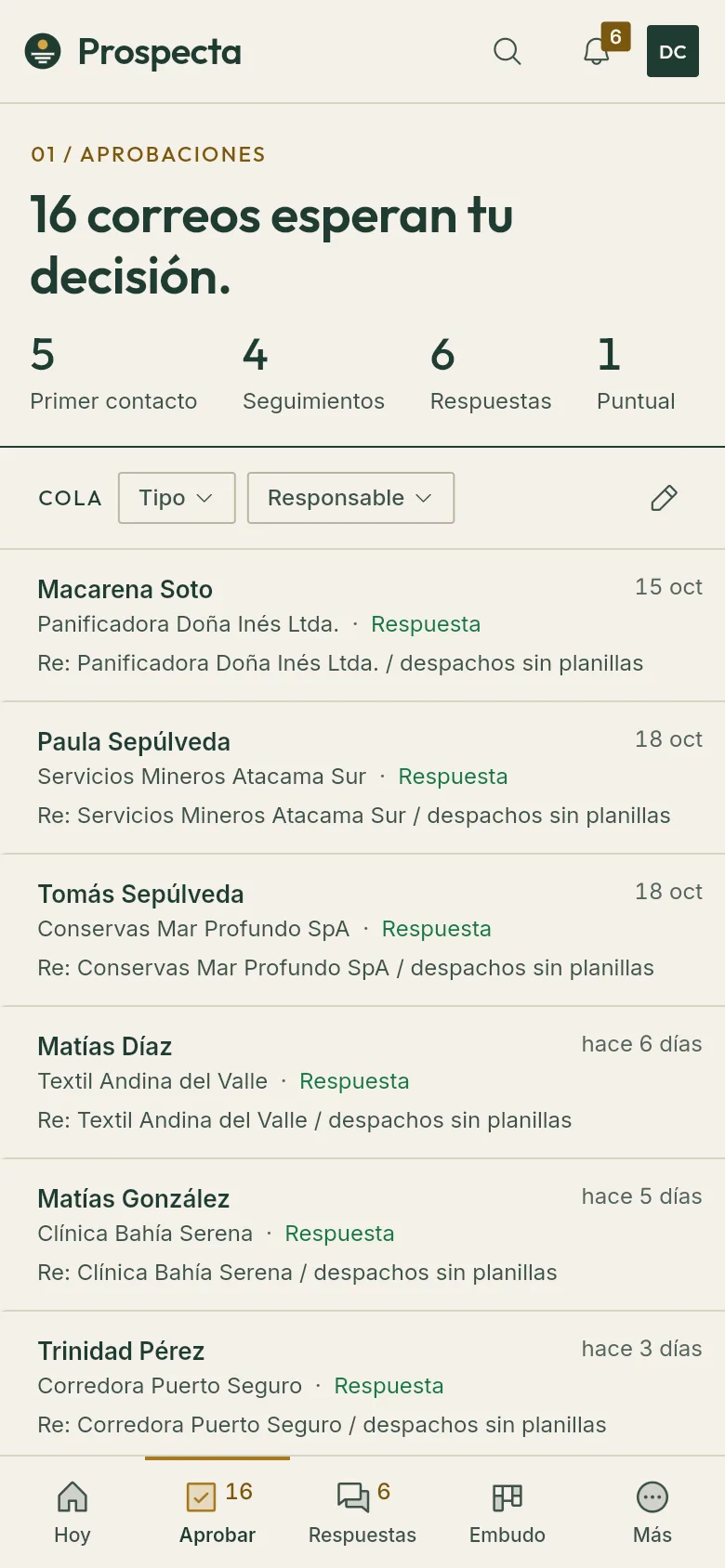
The desktop and mobile apps already exist and will be released soon. Meanwhile, Prospecta runs in the browser.

Prospecta on a phone: the approvals queue with sixteen emails awaiting a decision

See Prospecta with a case like yours.

Request a demo